
School Books Quotation
Our step-by-step guide to help you complete your quotation request for discounted school books
Request a Quote
Requesting a quotation for your school's books through Schoolbooks.ie takes just a few minutes. The guide below walks you through each step from logging in to submitting your order for review - and if you'd prefer to watch it, the short video below covers the whole process on screen.
Once your request comes through to us, a member of our School Customer Team will review your order and come back to you with a confirmed, discounted quotation. No lengthy back-and-forth - just a straightforward quote, ready to go.
How To Video
Follow our easy step-by-step guide to place request your quote


Step-by-step Quotation Guide
Step 1
Log in to your account
Go to account.schoolbooks.ie and enter your registered email address. A 6-digit verification code will be sent to that address-enter the code to complete your login.
Step 2
Go to the Schoolbooks.ie store
Once logged in, you will see a page showing any previous orders your school has placed. Click on theSchoolbooks.ie logo in the top left corner-this will bring you to the homepage.
Step 3
Build your cart
You are now on the Schoolbooks.ie homepage. Browse or search for your titles and add everything you need to your cart. We stock all major publishers across primary and secondary, so everything should be in one place.
Step 4
View your cart
When you are ready, click the cart icon in the top right corner of the page. A preview of your cart will appear-click View Cart to continue.
Step 5
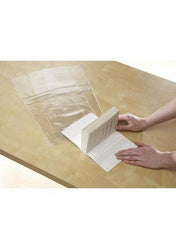
Book covering (optional)
If you would like your books covered, select Yes, please cover my books on this page. If book covering is not required, simply skip to the next step.
Step 6
Proceed to checkout
Click Checkout Securely Now to continue.
Step 7
Choose payment method later
On the checkout page, make sure Choose payment method later is selected. This keeps your order as a quotation request rather than a live payment. When this is selected, click Review Order.
Step 8
Submit for review
Click Submit for Review. Your order will come through directly to our School Customer Team, ready for discounting. We will review it and come back to you with your confirmed quotation.
A note on the items you cannot find
If there is anything you are unable to locate or add to your cart, we would suggest adding all other items first and then submitting your request. Include a note to let us know what was missing or drop us an email at schools@schoolbooks.ie with the items you were unable to add, and we will do our best to include them in your quotation.
Need a hand?
If you run into any difficulty at any point, please do not hesitate to get in touch. Email us at schools@schoolbooks.ie and we will get back to you right away. You are also welcome to call us directly on 01 524 2618 -we are here Monday to Friday, 9am to 5pm.